
Software and IT
Releases, implementations, sprints and project milestones on one timeline.
Example: sprint backlog → integration → go-live.
Local Planner
From small personal projects to complex team plans. Bring tasks, deadlines, milestones and progress together in one clear plan.
No account needed. A tour of the buttons — you can dismiss it.
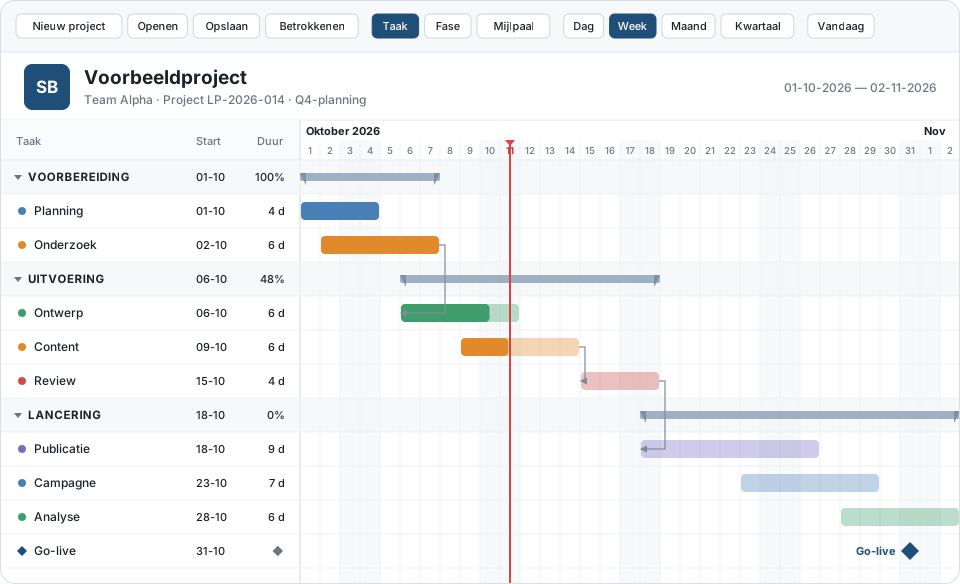
See the interactive demo
Open the sample project with phases, tasks, people and progress. A short tour points out the buttons — you can dismiss it, and we do not show it again. Everything stays local in your browser.
Demo with sample data. For cloud storage and teams: see the prices · create an account.
Three steps that match what the application can already do.
Organise your project into tasks, phases and milestones. Give tasks a status, priority and progress.
View the Gantt timeline, record dependencies and zoom from day to quarter. Jump to today in one click.
Keep the overview with progress percentages, status colours and milestones — and export to PDF or CSV when you need to.
Local Planner is not an industry tool. The same timeline works for software, construction, marketing and more — typical sample plans below.
Releases, implementations, sprints and project milestones on one timeline.
Example: sprint backlog → integration → go-live.
Work phases, handovers and dependencies between delivery steps.
Example: the demo construction project in the planner.
Campaigns, deadlines and publication moments side by side.
Example: campaign phases with publication deadlines.
Preparation, suppliers, run-of-show and hard deadlines.
Example: countdown to the event day.
Curricula, assignments and project planning per period.
Example: a semester plan with submission dates.
Personal projects and shared work in one overview.
Local or in the cloud — choose what fits.
Features the application actually supports. Document storage and more will follow later.
Tasks as bars on the timeline, zoom from day to quarter, a line for today.
Structure your project and mark important moments.
Link tasks, see what is waiting, and track percentages.
Keep several projects locally in the browser or as an .lpplan file.
Export or print, with a company logo if you want.
Create an account, share workspaces and pay via Stripe.
Open the interactive demo with sample data — no account. Or create an account and choose a plan for cloud storage.